In 1843, Ada Lovelace reads about a clockwork computer and sees more than numbers. In her "Notes," she writes an algorithm and imagines the Analytical Engine composing music. By writing the Notes, she published the first algorithm for a machine and argued it could manipulate symbols like music. That shift seeded the idea of software.
The future changes when a thought survives the moment.
As a product builder, ideas drive everything you ship. If you don't capture them, your product suffers. You juggle unanswered questions, half‑baked features, and technical unknowns. Whenever the muse is touching you, you need to be ready to capture your thoughts.
You need to identify the fastest path from thought to note.
Solution: Dictate your thoughts and let AI take care of the rest
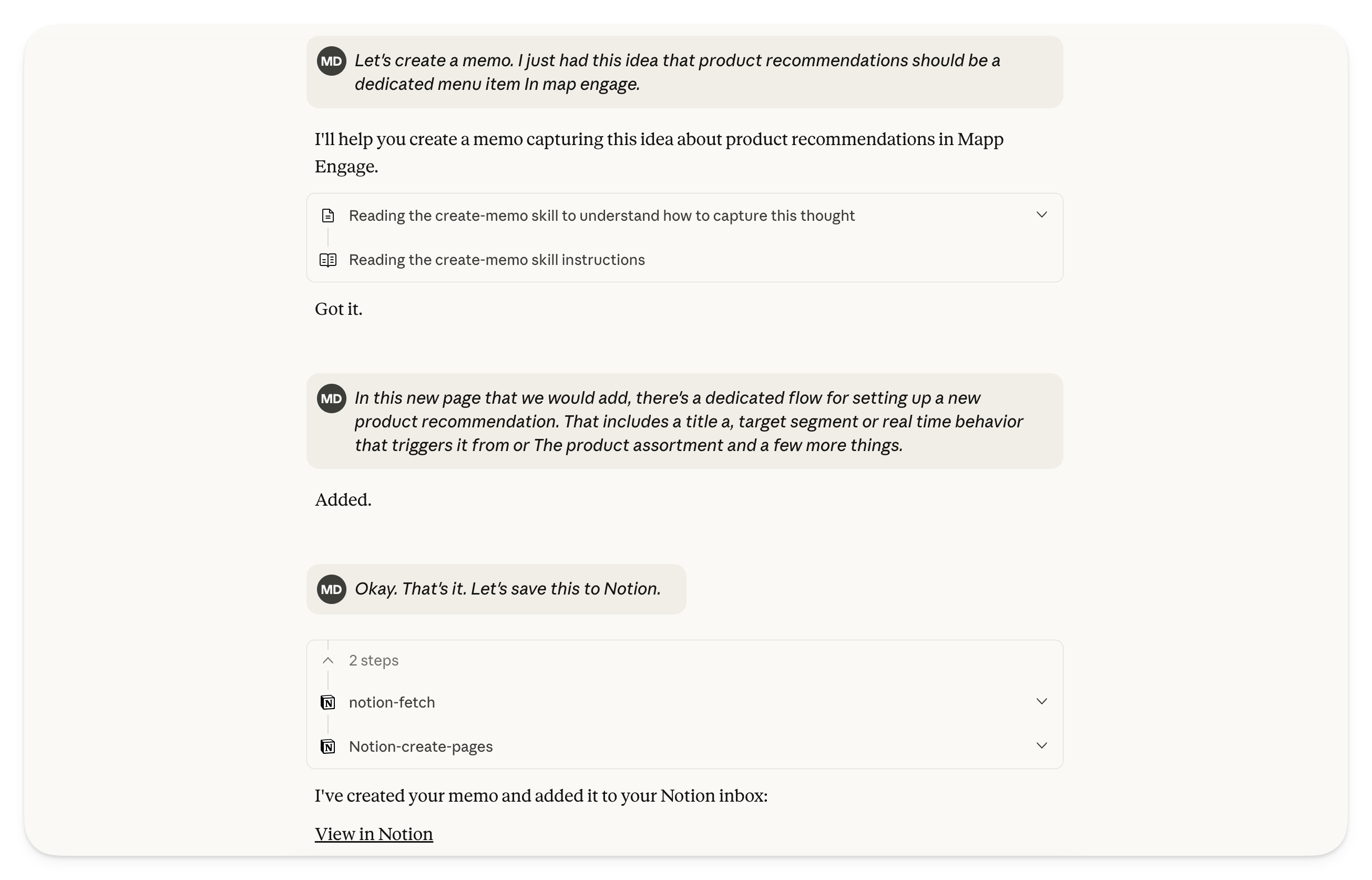
Here's a quick walkthrough of how it works:
- Start capturing. Open your AI app (Claude, ChatGPT, or Gemini) and say something like "Let's create a memo" followed by your thoughts. Dictate as many messages as you need.
- AI stays in capture mode. The skill ensures the AI doesn't respond or process your input yet. It simply acknowledges with "Got it" or "Captured" and waits for more.
- Finalize when ready. Once you're done, say "Add this to Notion" (or "Save this memo"). The AI then structures your raw thoughts into a clean document, removing filler words and self-corrections while preserving every idea.
- Auto-save to your notes. If you're using Claude with the Notion MCP integration, the memo lands directly in your Notion inbox. ChatGPT and Gemini work similarly, with Gemini offering a nice Google Keep integration.
For setup instructions and the full skill file, check out my GitHub repository.
Alternatives
- Tana. The builders behind Tana have a unique and very innovative take on notes. One of the brilliant solutions they created is a dedicated mobile capture app that allows you to capture ideas of any type (for example, text, links, images, photos, or voice messages). Assign a so‑called supertag to them (e.g., "#memo") and then it will be added to Tana. The supertag basically assigns an object definition to whatever you just captured, and in the case of Memo, it allows you to automatically transform your voice input into a well‑structured document.
- Apple Shortcuts. If you are at home in the Apple ecosystem, the Shortcuts app is a brilliant way to easily capture your voice (or anything else) and send it to Notion. You can either do this directly or have, for example, a ChatGPT step in between that cleans up whatever you entered and generates a title. Your creativity is the only limitation that applies.
Resources
- YouTube: Never Lose an Idea Again: My AI Voice-to-Notes System
- GitHub: Create Memo Skill
- ChatGPT GPT: Create Memo GPT
- Gemini Gem: Create Memo Gem
- Voice-to-Text: Wispr Flow