Iteration has always been expensive. You build something, show it to people, collect opinions, translate those opinions into tasks, wait for a sprint, and eventually ship an update. By then, half the context is lost and momentum has faded.
I've been experimenting with a workflow at Mapp that compresses this entire cycle into minutes - by connecting in-app prototype feedback directly to an AI coding agent. Someone leaves a comment, and the prototype improves. Almost in real time.
Here's how I set it up.
Prototypes for Everything
At Mapp, I've made prototyping a default. Every feature - small or large - gets a working prototype before it enters development. These aren't static wireframes in Figma. They're interactive, code-based prototypes, deployed via Netlify, and living in dedicated GitHub repositories.
I created a prototype template that the entire product team now uses. Team members fork it, spin up their own prototypes, and share them with stakeholders for early validation. The idea is straightforward: get concepts in front of people before committing engineering resources.
But prototyping at this pace only works if you can close the feedback loop just as fast.
Feedback Without Friction
The hardest part of collecting prototype feedback isn't building the form - it's getting people to actually use it. Every extra step, every context switch, every "please open a separate tool and describe what you saw" kills your response rate.
So we built a feedback mechanism directly into each prototype. There's a "Prototype Feedback" button right in the sidebar. Click it, and you get a simple form: your name and email (optional), a text field for your feedback, and the option to attach a screenshot - either from a file or captured right there in the browser by drawing a rectangle around whatever caught your attention.
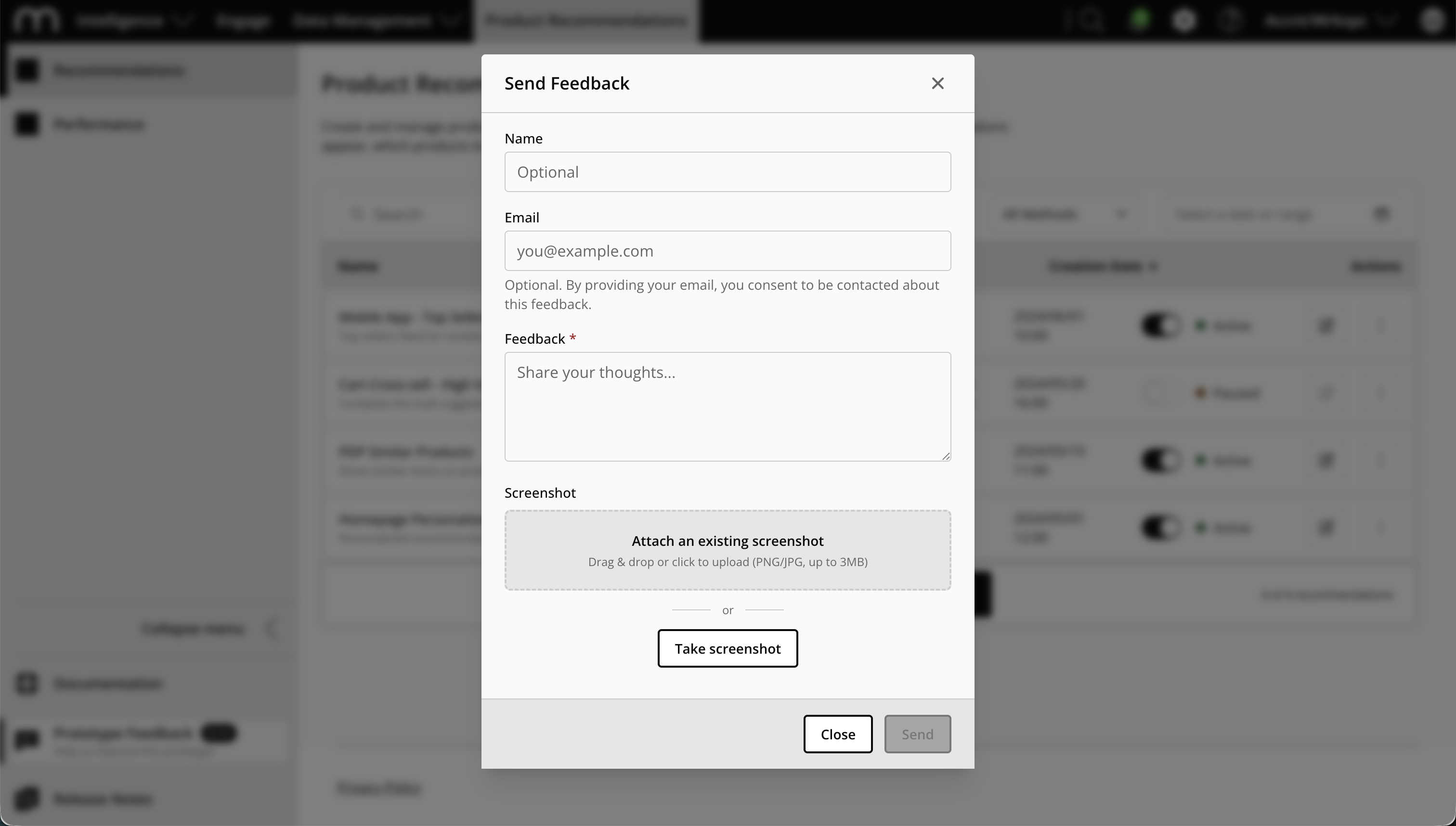
Behind the scenes, the form automatically captures context: the URL and path you were on, your viewport size, browser, language, time zone. Everything a developer would need to reproduce what you saw.
Hit send, and the feedback is posted to a Netlify Function that creates a GitHub issue in the prototype's repository. The issue includes the feedback text, the reporter's details, all the context metadata, and the screenshot embedded inline. No copy-pasting, no switching tools, no describing what you saw from memory. One click, one form, one issue - ready for triage.
This alone was a meaningful improvement. But the real unlock came when I connected this to an AI coding agent.
From Issue to Implementation with Codex
Every feedback submission lands as a GitHub issue. That's where things get interesting.
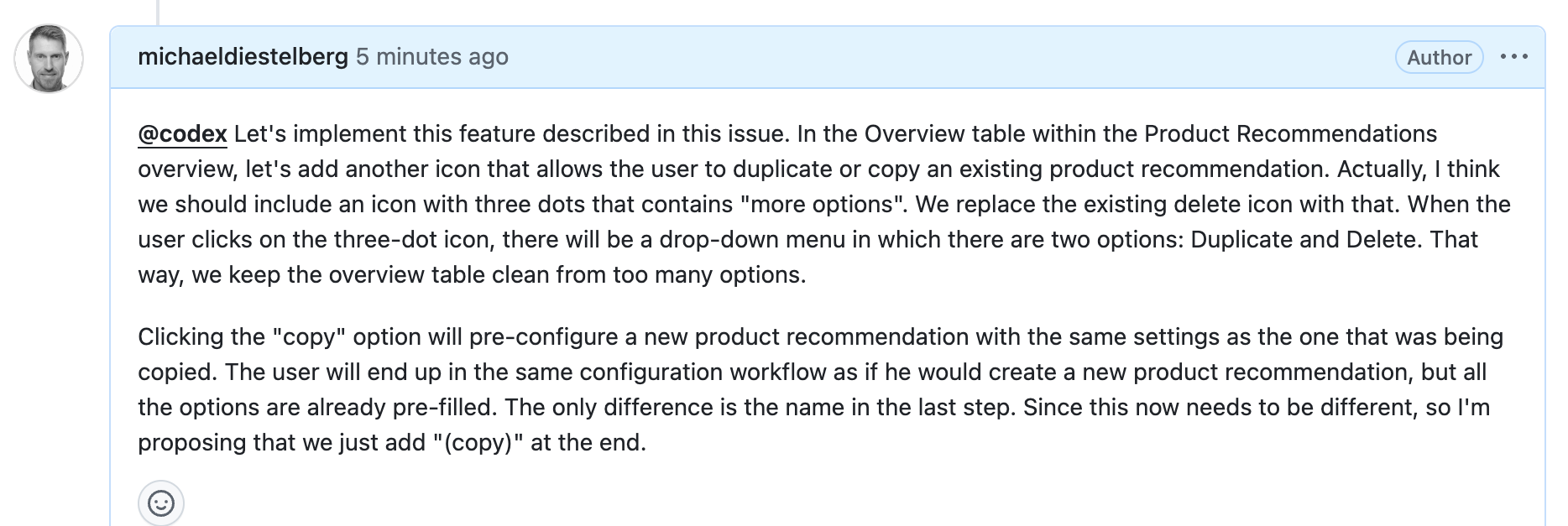
When I review the incoming feedback and decide something should be addressed, I don't open an IDE. I don't assign a developer. I open the issue, write a comment, and mention @codex - OpenAI's coding agent that operates directly within GitHub.
In that comment, I describe what I want: implement a feature, improve existing behavior, or fix a bug. Codex reads the issue context, including the original feedback and screenshot, and gets to work. It creates a branch, makes the code changes, and reports back with a summary of what it did.
Here's a real example. A colleague left feedback noting that the overview table in our Product Recommendations prototype was missing a copy action. She submitted it through the in-app form. It showed up as a GitHub issue with her description and a screenshot. I opened the issue, mentioned Codex, and described the implementation I had in mind - a three-dot menu replacing the standalone delete icon, with "Copy" and "Delete" options, plus prefill behavior for the copied recommendation.
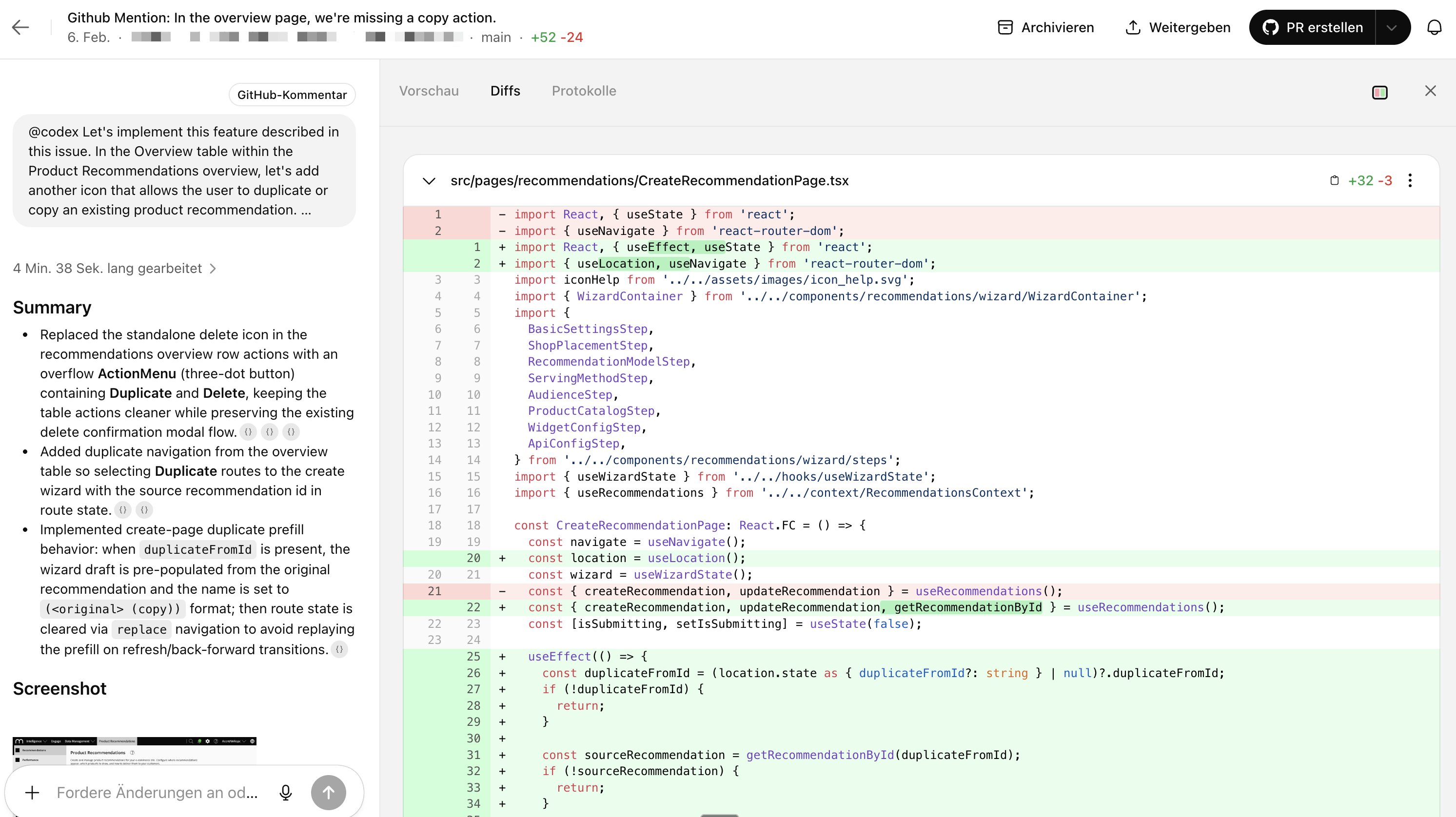
Codex picked it up, created a branch, and implemented the changes across multiple files. I reviewed the diff (not really...it's a prototype), iterated once in Codex Cloud to fine-tune the result, and then created a pull request.
Preview, Verify, Merge
Because the prototype repositories are connected to Netlify, every pull request automatically gets a deploy preview. That means I can click a link, see the updated prototype running live in my browser, and verify the change looks and works as intended - without pulling a single line of code locally.
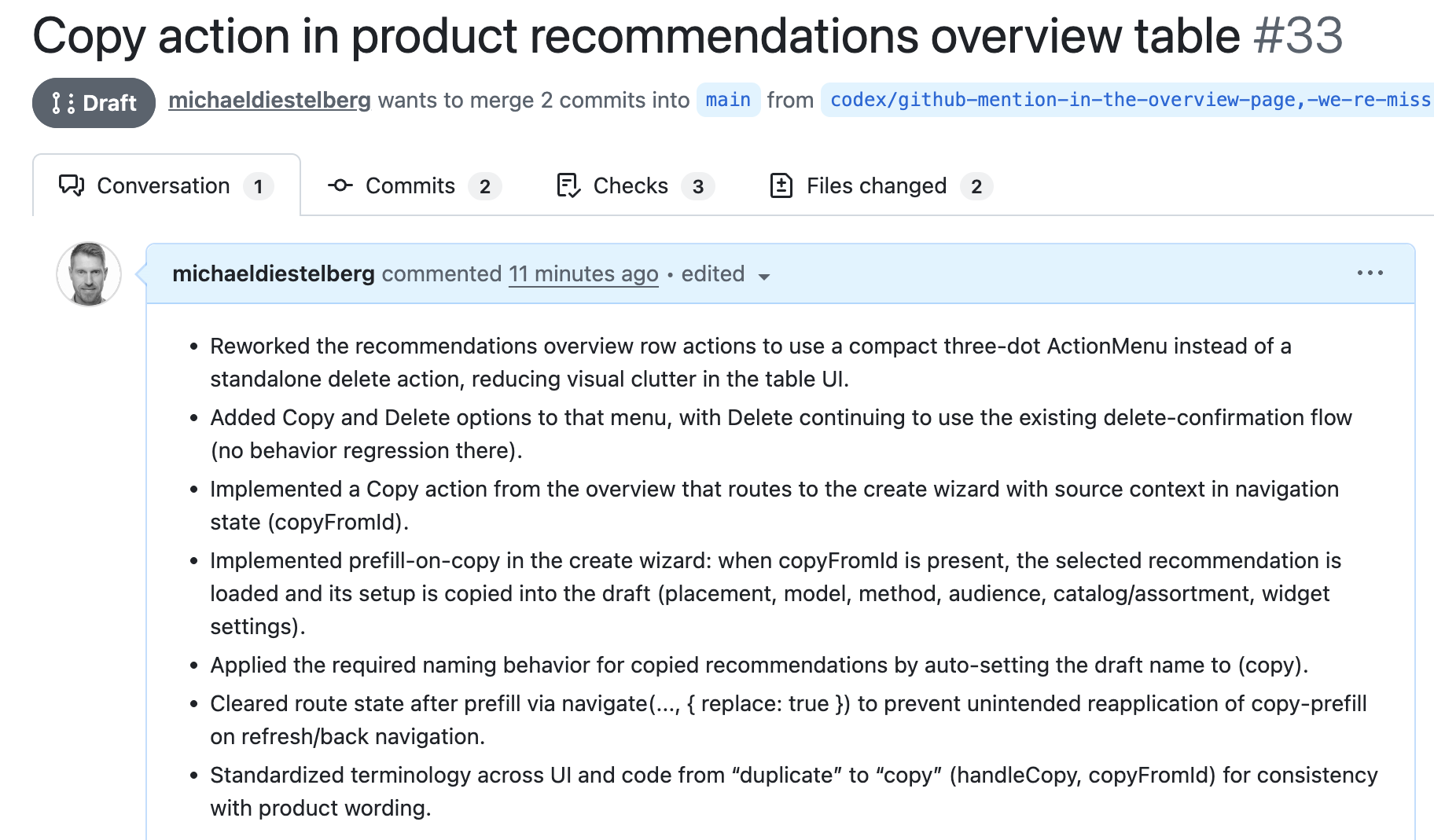
Once I confirmed the implementation matched what was requested, I merged the PR. Done. The prototype was updated with the improvement, live and ready for the next round of feedback.
The entire cycle - from feedback submission to merged, deployed change - took minutes.
Why This Changes Things
The speed is remarkable, but that's not the main point. What excites me is what this workflow enables structurally.
It lowers the barrier to feedback. When giving feedback is as easy as clicking a button and typing a sentence, you actually get it. And volume matters - the more perspectives you collect early, the better your product decisions.
It keeps feedback actionable. Every submission is a structured, triage-ready GitHub issue. Nothing gets lost in Slack threads, email chains, or meeting notes.
It turns feedback into iteration at near-zero cost. The AI agent handles the implementation. I review and approve. The prototype improves continuously based on real input from real stakeholders - not assumptions.
And it scales. Every prototype my team creates uses the same template, the same feedback mechanism, the same GitHub-to-Codex pipeline. As we roll out more prototypes across more features, the infrastructure is already there.
What This Means for Product Discovery
I think we're at an inflection point in how product teams can work. The traditional cycle of prototype, collect feedback, write tickets, wait for a sprint, ship an update is being compressed into something that feels almost conversational. Someone says "this is missing a copy action," and minutes later, it's there.
This doesn't replace proper engineering, design systems, or production-grade development. Prototypes are prototypes. But for the phase where you're exploring ideas, validating workflows, and iterating on concepts - this kind of tight feedback loop changes the pace and quality of product discovery entirely.
The ingredients are all available: a prototype template, GitHub Issues, an AI coding agent, and automated deploys. The magic is in wiring them together into a single, frictionless loop.