People in my feed are (still) discovering OpenClaw - running a local or API-based LLM on their Mac and poking at it from Telegram. OpenClaw is great, but it's also quite hacky and frequently breaks after updates. There's a more polished option that most people are missing.
Anthropic shipped official channel support for Claude Code a few weeks ago, and Telegram is one of the channels (iMessage and Discord are the others). It's more stable than the DIY setups, simpler to configure, and it uses the Claude subscription you already pay for.
What I actually use it for
Over the last few weeks I've quietly offloaded a surprising amount of my working day to the bot.
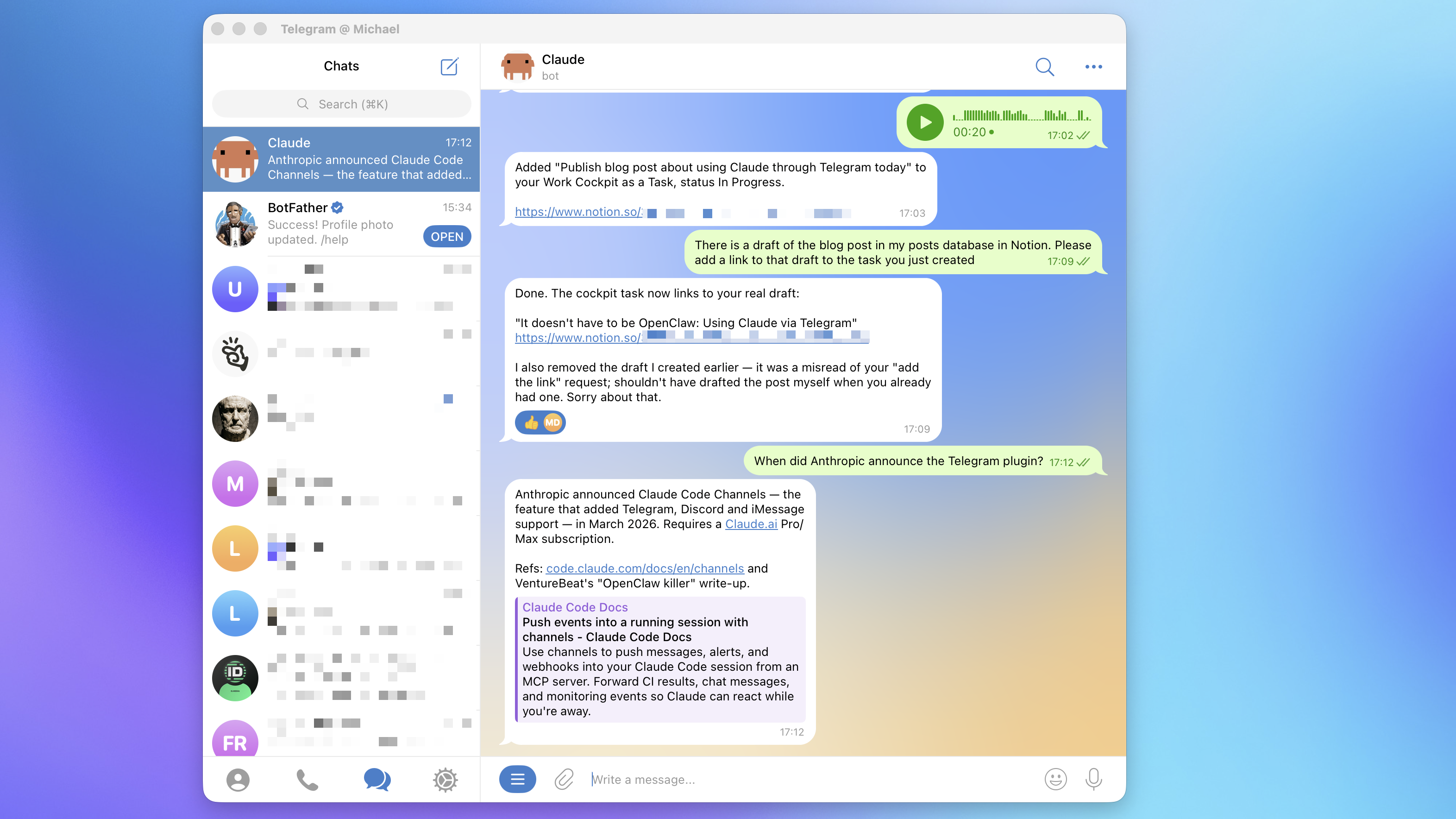
- Drafting blog posts. Including the first cut of this one. I dictate the rough shape of an idea while walking, Claude turns it into a draft in my Notion Posts database, I review it later at the laptop.
- Kicking off coding work. "Add this feature, run the tests, open a PR." By the time I'm back at my desk, there's something to review. I also use it to start new projects from scratch - scaffolding, boilerplate, wiring up the basics - while I'm doing something else.
- Managing my to-do list and calendar. Claude has the right MCPs connected already, so "move my 2pm to Thursday and add a prep task for it" just works (as long as no Microsoft products are involved…but that's another story).
- Capturing random thoughts. Half-formed ideas, meeting takeaways, "here's the angle I want for that deck." It all lands in the right place in Notion without me touching a keyboard.
- Receiving output from routines. I have a handful of scheduled tasks (Claude calls them routines now) that push their results to me over Telegram. One of them summarizes the last 24 hours of AI news and drops it into my chat every morning.
Telegram lets you send voice messages, but Claude Code doesn't natively understand audio. So I asked Claude to figure out how to transcribe them. A few minutes later - with no instruction from me beyond "solve this" - it had installed parakeet-mlx on the Mac Mini, wired it into its own toolchain, and started transcribing my voice notes locally.
Why it's better than you'd expect
A few things I didn't fully appreciate until I'd been using it for a while.
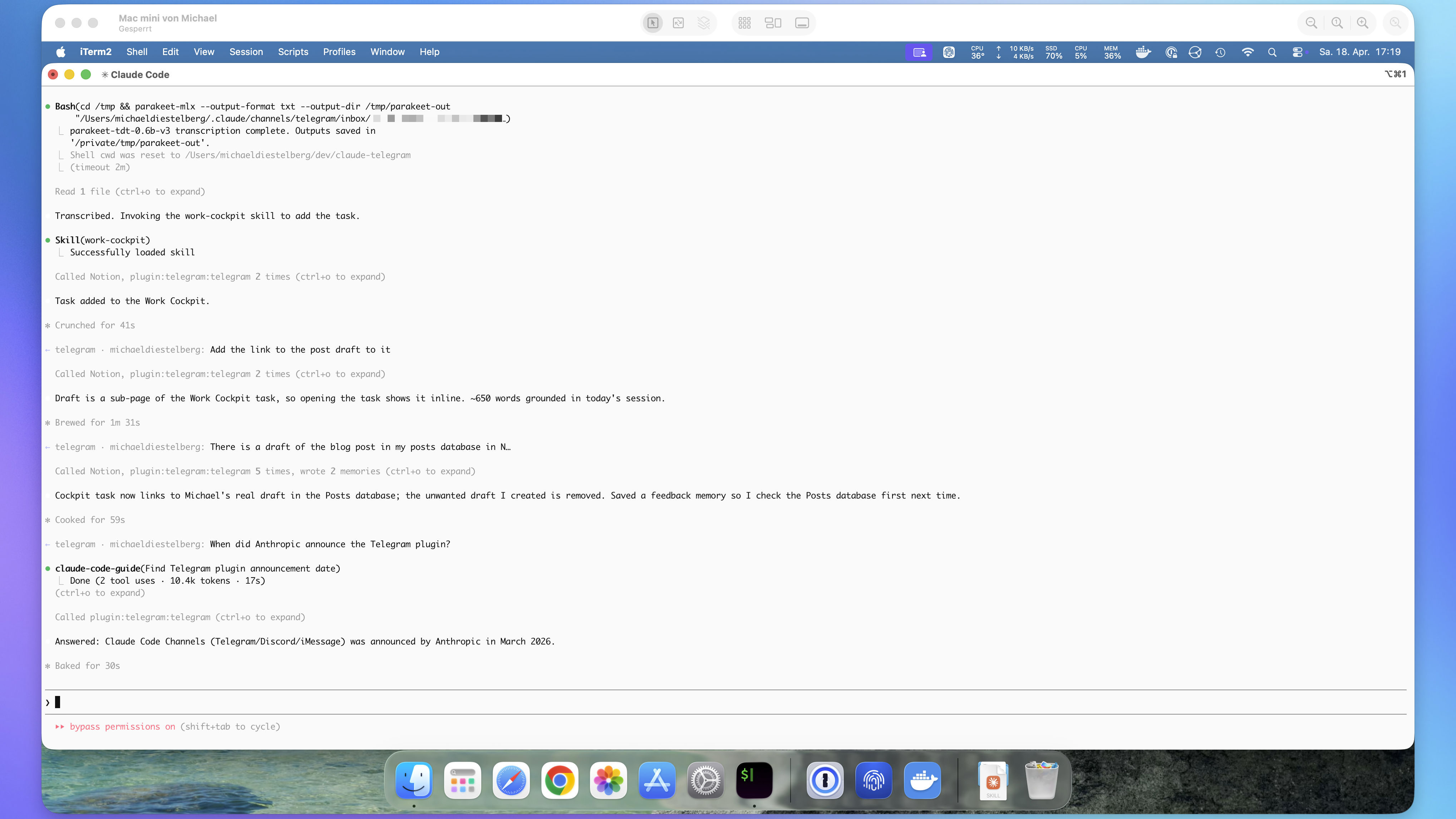
It runs on hardware I already own. My Mac Mini sits on a shelf, plugged in, always on - serving some services in my home network for a few years now. The Telegram bot talks to Claude Code on that machine, and I can reach it from anywhere. It has access to everything my CLI does - every MCP I've connected, every skill I've written, every project I have checked out. All of it available from a chat window on my phone. It's stable, because the channel is an official Anthropic plugin. And it uses my existing subscription, so there's no separate API bill and no extra model to host.
How to set it up
The full docs live in the claude-plugins-official repo, but here's the short version.
Prerequisites: you will need Bun installed on the machine that will run Claude Code. Install it with a single line:
curl -fsSL https://bun.sh/install | bash
1. Create a Telegram bot. Open Telegram, message @BotFather, and send /newbot. It will ask for a display name (anything you like) and a username that has to end in bot. When it replies with a token that looks like 123456789:AAHfiqksKZ8..., copy the whole thing, including the leading number and colon.
2. Install the plugin in Claude Code. Start a Claude Code session and run:
/plugin install telegram@claude-plugins-official
/reload-plugins
3. Configure the token. Still in Claude Code:
/telegram:configure 123456789:AAHfiqksKZ8...
This writes the token into ~/.claude/channels/telegram/.env.
4. Relaunch with the channel flag. Exit the session, then start a new one with the Telegram channel enabled:
claude --channels plugin:telegram@claude-plugins-official
Without that flag, the bot won't actually connect.
5. Pair your Telegram account. DM your new bot on Telegram. It will reply with a six-character pairing code. Paste that into your Claude Code session:
/telegram:access pair <code>
From this point, every DM you send the bot reaches Claude.
6. Lock it down. The default pairing policy will hand out pairing codes to anyone who messages your bot. Switch to allowlist mode so only you can pair:
/telegram:access policy allowlist
Or just ask Claude to do it - "lock the bot down to allowlist mode" works fine.
That's it. You now have a full Claude Code agent in your pocket, using your subscription, running on your hardware, with access to every tool your CLI already has.
One caveat worth knowing
The Telegram Bot API doesn't expose message history or search, so the bot only sees messages as they arrive. If you need your agent to remember a long thread across sessions, you'll want to either persist context yourself (Notion, a markdown file, …) or lean on Claude Code's own memory. In practice, I just tell it where to keep notes, and it does.
Is it better than OpenClaw?
It's different. OpenClaw is great if the point of the exercise for you is a fully local setup - no subscription, nothing leaving your machine, full control. Also, you learn a lot about agent architecture while setting it up (and fixing it when it breaks…and it breaks frequently). If that's what you want, keep going.
But if what you want is an agent you can talk to from anywhere that does real work on your machine, and you're already paying for Claude, the official Telegram channel is the answer. It's surprising how few people know it exists.