Let's say you want to use AI to create a presentation for you. You can prompt a traditional LLM, copy the output, send the next prompt, copy again and ultimately put together the slides yourself. In this case, you are the agent that’s operating in a loop until you are done.
AI agents are fundamentally doing the same thing when they are creating your presentation. The main difference is that AI agents repeatedly prompt themselves, and they use tools to actually put the slides together for you. They think, request tools to be run, look at the tool results, and think again. That’s the agent loop.
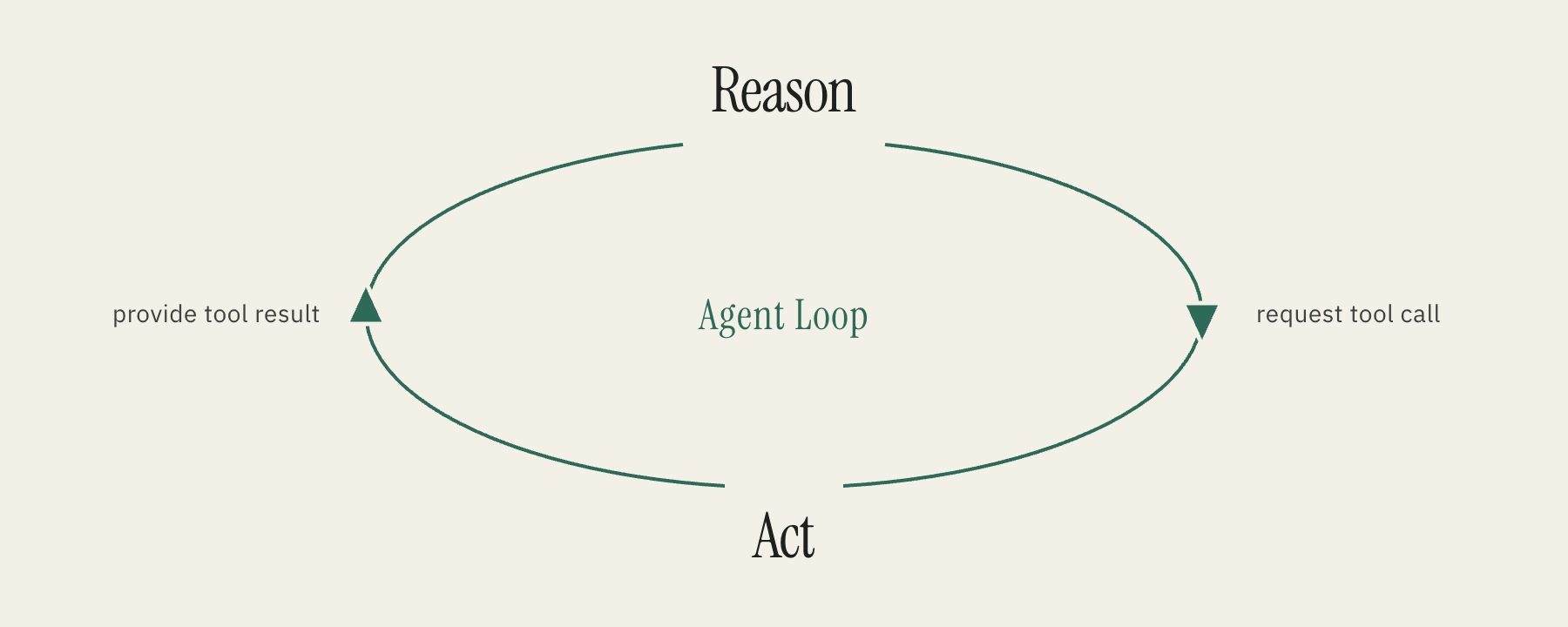
Before we look at code, here is the shape of that loop in plain English:
Start with the user's request

While the agent is not done:
  Ask the AI what to do next

  If the AI has enough information:
    Return the final answer

  If the AI wants to use a tool:
    Run the tool
    Add the tool result to the context
    Go around the loop again
That’s the core idea of modern AI agents. Later in this post, I’ll link to an interactive explainer that lets you observe everything that happens in an agent while it goes through the loop.
A real code example of an AI agent
Let’s look at the code of an agent loop for a much simpler example: Asking an AI agent for the current weather.
Since a LLM doesn’t know about the current weather in a specific location, it will be able to use a tool get_weather to look that up.
const tools = [
  { name: "get_weather", parameters: { city: "string" } },
];
The context of an agent is an array that’s often called messages. Think about it as a message board to which we constantly add new information. In the beginning, it typically contains the system prompt (”You are a helpful agent….”) and receives the initial user prompt (”check the weather in …”).
async function runAgent(userMessage) {
  const messages = [
    { role: "system", content: SYSTEM },
    { role: "user", content: userMessage },
  ];
The loop starts with calling the LLM, handing over the messages and the available tools the agent can use. In other words: We are prompting the AI model and capture the reply.
while (true) {
  const reply = await callLlm(messages, tools);
  ...
}
Next, we check the reply for any of these two conditions:
- The AI has all the information it needs and wants to respond to the user (the
replycontains no tool calls). We return thecontentofreply- the user gets an answer. This is one way of how to step out of the loop. - The AI wants to look up additional information and asks to call tools (the
replycontains tool calls).
if (reply.tool_calls.length === 0) {
  return reply.content;
}
...
In our example, in the first iteration of the loop, the LLM will request to run the get_weather tool. Let’s go through this step by step:
- We put the AI
replyincluding the requested tool call on the message board, into themessagesarray. It becomes part of the context - the AI will see that it asked for that tool call in the next iteration of the loop. - We
runToolwith the arguments (the city name) the AI gave us. Tools are our own code that our app (not the LLM!) executes. For this example, imagine thatget_weathercalls a weather API and returns the current conditions. - We store the tool
resultin themessagesarray so it also becomes part of the context.
messages.push(reply);

for (const call of reply.tool_calls) {
  const result = runTool(call.name, call.arguments);
  messages.push({
    role: "tool",
    tool_call_id: call.id,
    content: result,
  });
}
Now we are back at the beginning of our while loop. Essentially, we are starting from scratch, prompting our AI model that remembers nothing from before (that is their nature). But this time, our message board contains more messages: the system prompt and user prompt as before, but also the request to run a tool and the tool result from the first iteration. In other words: The LLM sees all four messages, thinks about what it means, realizes that it must have asked for the tool to be run, sees the results, and can continue from this point. This is how we pass information from one iteration into the next. This mechanism is what fills the context window of your AI.
For our little example this means: The LLM has everything it needs to answer the question of the user, won’t ask for any additional tool calls, and that ends the loop. Our app prints the reply.
Bringing it to life
I asked Grok to build an interactive explainer of this simple example - an AI agent that returns the current weather. The web app will guide you through each step of the loop, explain the code, visualize the messages array (the context) at each step, and simulate a typical user interface for an agent.
https://explainer-agent-loop.michaeldiestelberg.chatgpt.site/
What I find fascinating is the fact that an agent is based on one of the fundamental elements of coding: while loops. It’s an oversimplified example of course - the reality is so much more complex - but in its core, the loop exist in most AI agents out there.
Happy looping!