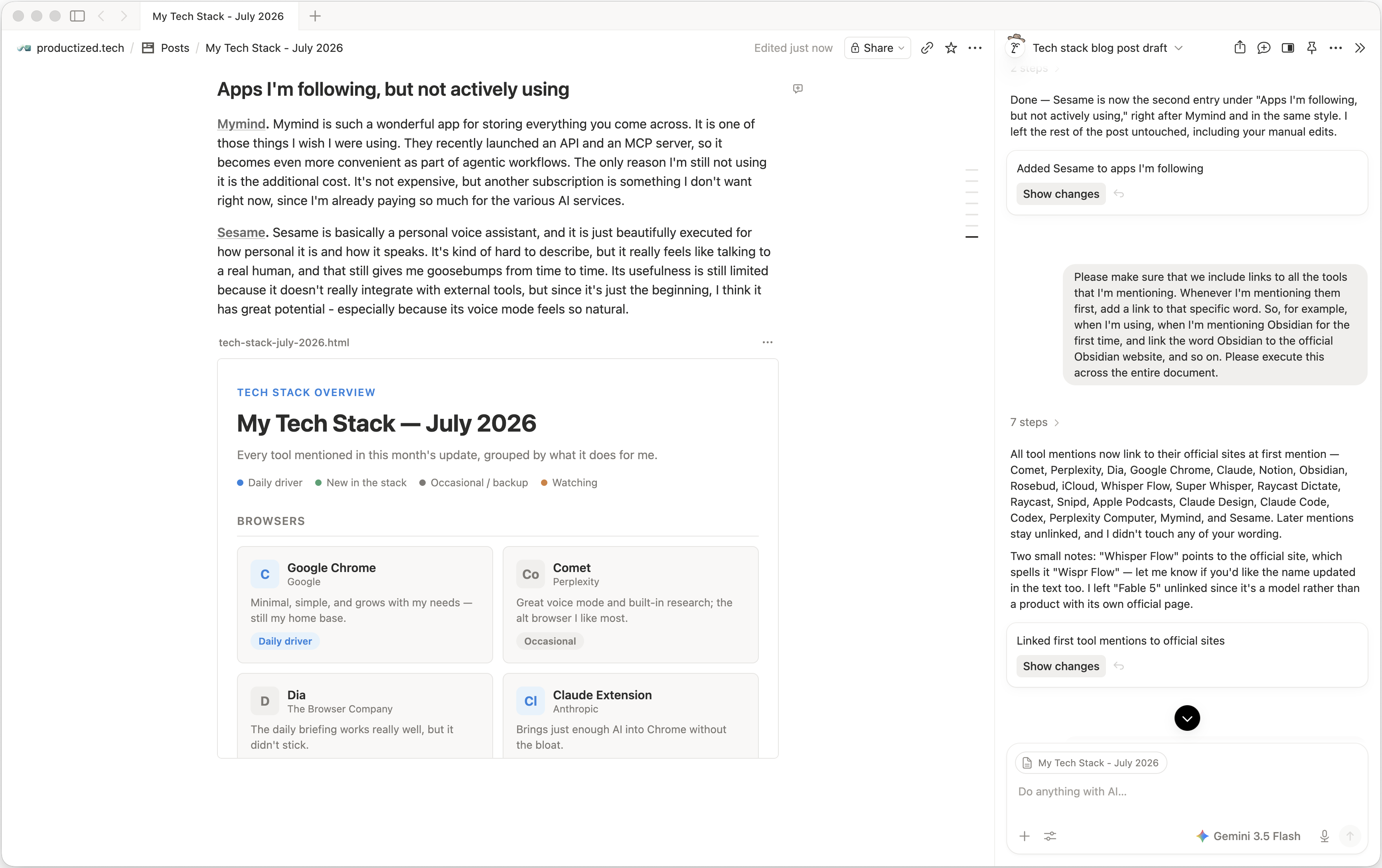
From time to time, I share an update on my current tech stack: what I'm using, why I'm using it, and how I feel about the products I'm either observing or actively using myself. This is the July 2026 edition.
Still using Chrome, but really like Comet and Dia
I have experimented with multiple browsers over the last few weeks. The one I probably like the most in day-to-day use is Comet from Perplexity. It has a really great voice mode that makes research very intuitive and fun, and it's good at getting work done within my browser. And since Perplexity is really good at research, having that immediately available in the browser is quite useful.
I also played with Dia from the Browser Company. I was intrigued by their daily briefing feature, which I can confirm works really well. But it didn't make me keep using it, although it has quite a few other interesting ideas.
The reason I keep coming back to Google Chrome is that it's so simple. I need the browser to be a minimalistic experience that grows with my very specific needs without adding unnecessary bloat, and that is what Chrome does really well. For example, I can bring AI into the browser with the Claude Chrome extension, and that is more than enough for me. It makes me curious about the future of alternative browsers like Comet and Dia - and the many others out there trying to grab market share with really smart AI integrations. I think this will be very difficult, and I will keep monitoring it.
Back to Notion for writing, but using Obsidian for the more private things
For years now, I have had a love-hate relationship with Notion. On the one hand, I love the product. On the other hand, I hate the fact that it's all in the cloud. A lot of the stuff I put into Notion feels very private, and it makes me uncomfortable that I have valuable private content in a cloud-based product. That's what always makes me want to use Obsidian instead - but then I run into limitations in Obsidian all the time, precisely because it is not a cloud product. I know this sounds contradictory: the thing I hate about Notion is the thing I'm missing in Obsidian.
In July, I settled that debate, at least for now. I am using Notion for 95% of all my note-taking and writing needs, mostly because the integrations are so good and it fits nicely into my workflows. On top of that, their AI integration directly into the product keeps getting better. The latest addition, which lets me create HTML blocks with AI, is just amazing. It allows me to use the meeting notes feature to ramble my thoughts into Notion, then have it create an HTML block to visualize the idea before I share it. That's just one of many reasons I keep coming back to Notion all the time.
I do use Obsidian, though, for the most private stuff. For example, I export some insights from my journaling app, Rosebud, into Obsidian and store them locally because I don't want to see those kinds of things in the cloud. Although even that argument doesn't fully hold, because I'm actually synchronizing my Obsidian vault through iCloud. But what can I do? One way or another, one of the big tech companies will have my content anyway.
Settled in with Raycast Dictate
Voice-to-text software that lets me dictate instead of typing has been something I can't live without for a few months now, basically since Wispr Flow became a thing. I'm also a fan of Super Whisper, especially for its ability to do everything locally on my machine.
But what I keep using now - and this is completely new - is Raycast Dictate. Raycast recently published a beta of Raycast V2, and it includes Dictate for the first time. Since I'm already paying for my Raycast subscription, it immediately felt like a good way to consolidate my subscriptions so I don't have to pay for Wispr Flow or Super Whisper.
But it's not just that. Raycast Dictate is actually really good. It's probably the fastest of all the solutions I have, and it's nearly as fast as Super Whisper when doing the transcription locally. The transcription quality is usually very good, with a few blips from time to time. I'm not judging that too harshly yet, because the feature is officially still in beta.
Snipd needs an Apple Watch app
I absolutely love Snipd, but I find myself using Apple Podcasts more often these days. It's mostly because Snipd lacks an Apple Watch app. The times when I'm listening to podcasts are usually one of two situations:
- During a run, streaming a podcast from my Apple Watch - which I can't do with Snipd.
- While driving. I could connect my phone via Bluetooth and play from the Snipd app, which I sometimes do, but it's so convenient to have the Apple Podcasts app directly on the Tesla screen that I end up using it more there, especially because the play state of the podcast is synchronized across devices.
In other words: I really wish Snipd would build an Apple Watch app that I can use for streaming.
Claude Design became really good
In the beginning, I kind of slept on Claude Design. I couldn't really figure out how it fits into my workflow. But lately they improved it a lot, and it became my default interface for planning new front-end functionality.
Especially the workflow where Claude asks clarifying questions and gives me options based on my input is super useful. The ability to add multiple variants of the same design is also great - especially for someone like me who isn't a UX designer but can spot if something is good or bad. Adding comments within the designs to iterate on them works really, really well. The handover to Claude Code works great, and exporting a design as an HTML file and loading it into Codex works equally well.
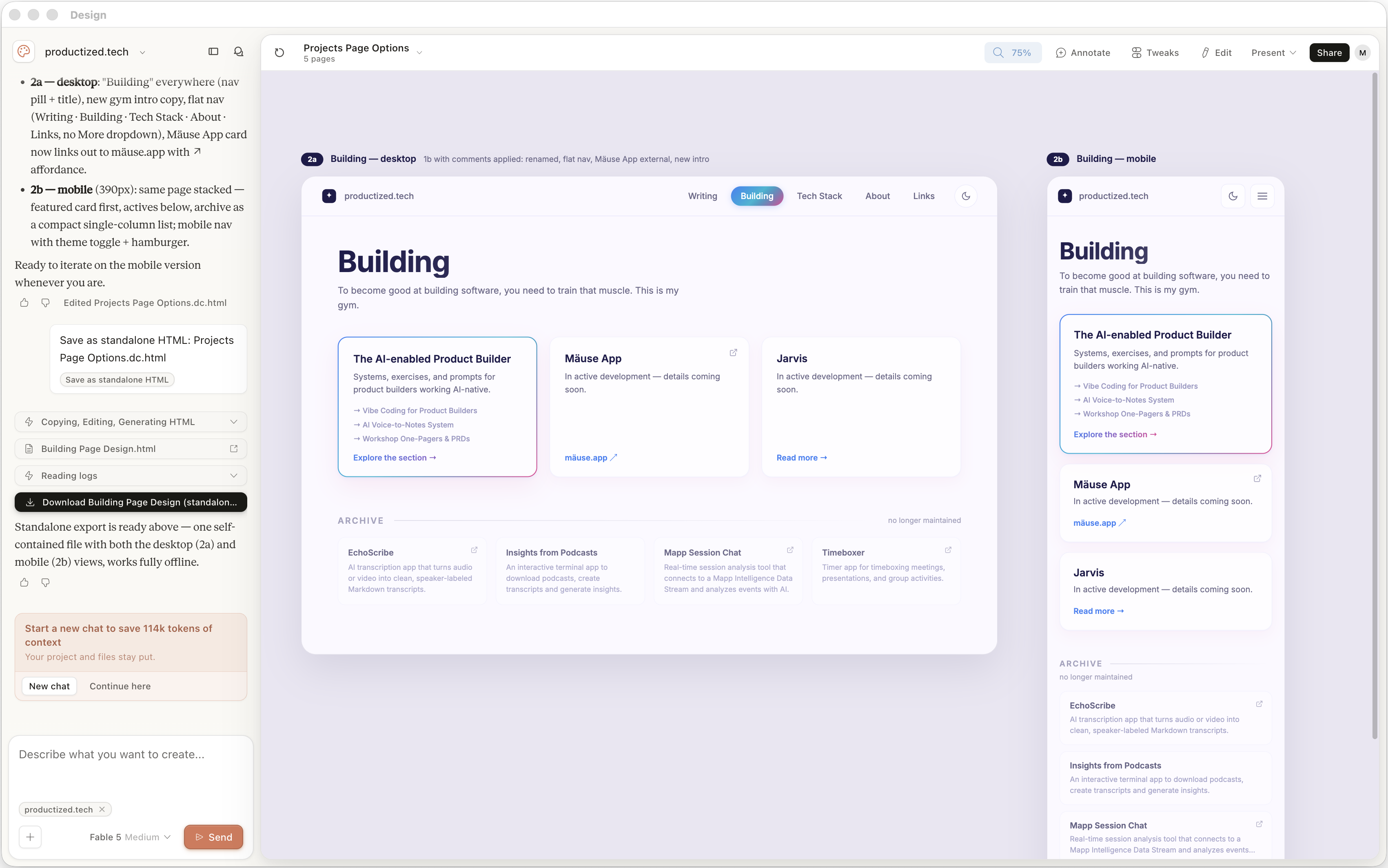
These days, my workflows often start in Claude Design, and from there I go over to either Claude Code or Codex, depending on how front-end or back-end heavy the work is.
Perplexity Computer is amazing, and getting less expensive (but still too expensive)
I have a weird fascination for Perplexity Computer. I think Perplexity in general builds really great products, but it's very hard to compete with the subsidized subscriptions that Anthropic and OpenAI are offering.
Recently, token usage went down for the common tasks I use Perplexity Computer for, so there's clearly some optimization going on in the background. At the same time, build quality is still high - or even improving. Being able to use Fable 5 for orchestrating the work and then using cheaper models to execute on it is so convenient, especially because it's all automated.
What I like the most is their mobile experience. Being on a walk or out and about, rambling an idea into it, seeing it work in the background, and then coming back to a fully fleshed-out app is incredibly useful and convenient. The ability to publish an app on their own hosting service with its own domain is also quite handy for quickly sharing something with a friend or colleague.
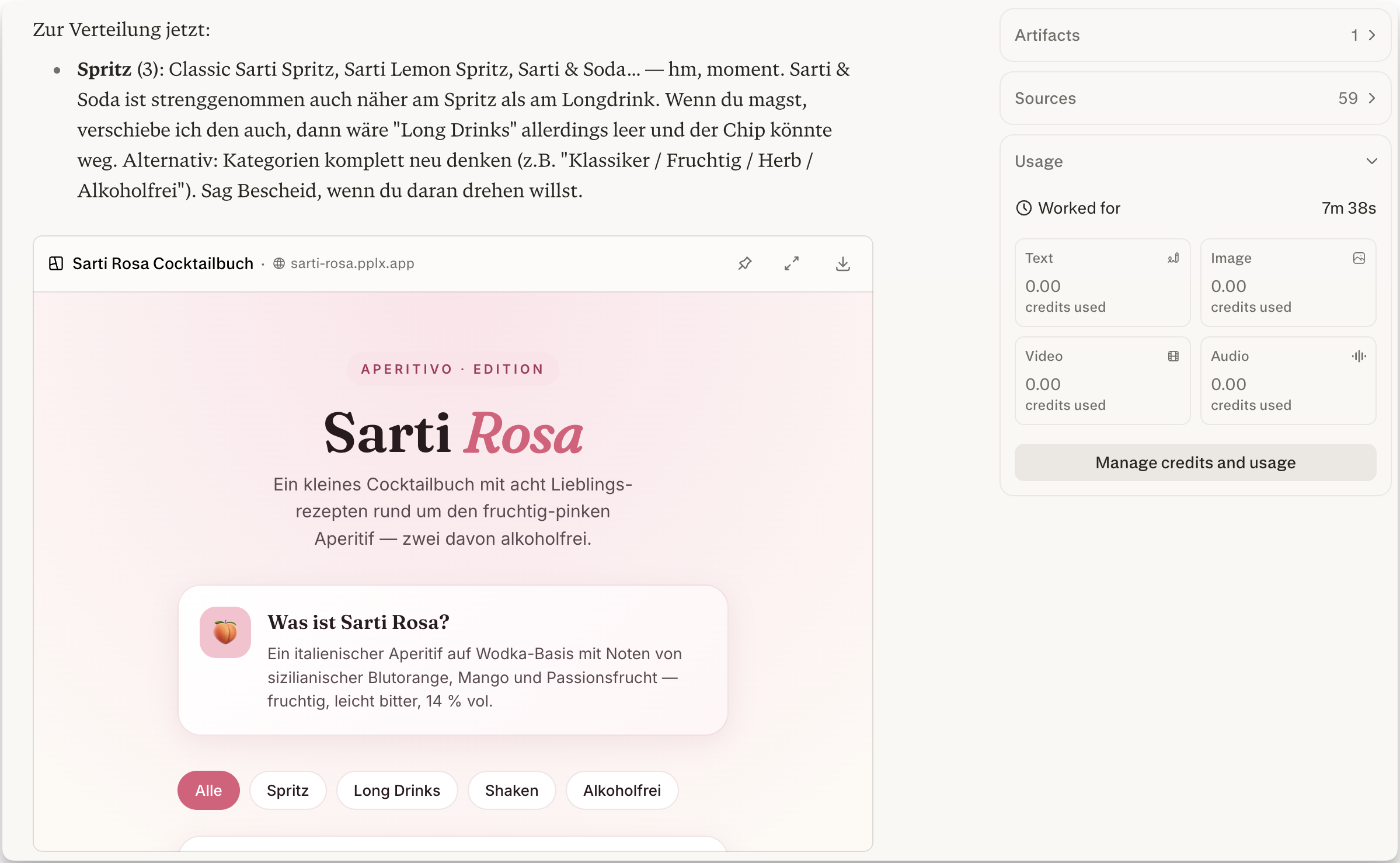
I think this will become even more useful once they roll out local models as part of Perplexity Computer. You could use an expensive model like Fable for orchestration, nearly free local models for the easiest parts, and medium-cost cloud models for everything in between. That should make it much more feasible to bring down the costs of building with AI - at least once Anthropic and OpenAI stop subsidizing their subscriptions so heavily.
Until then, Perplexity Computer will have a hard time justifying its cost compared to the other two options.
Apps I'm following, but not actively using
Mymind. Mymind is such a wonderful app for storing everything you come across. It is one of those things I wish I were using. They recently launched an API and an MCP server, so it becomes even more convenient as part of agentic workflows. The only reason I'm still not using it is the additional cost. It's not expensive, but another subscription is something I don't want right now, since I'm already paying so much for the various AI services.
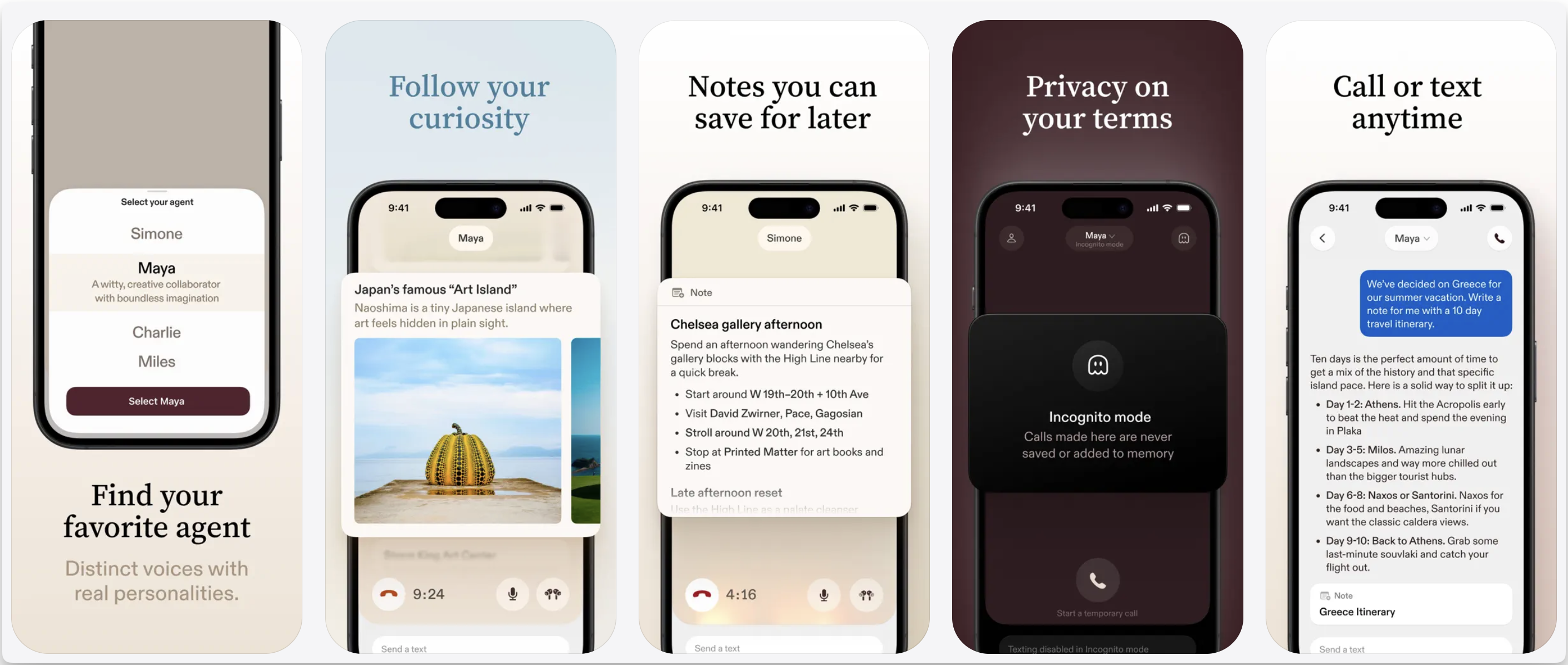
Sesame. Sesame is basically a personal voice assistant, and it is just beautifully executed for how personal it is and how it speaks. It's kind of hard to describe, but it really feels like talking to a real human, and that still gives me goosebumps from time to time. Its usefulness is still limited because it doesn't really integrate with external tools, but since it's just the beginning, I think it has great potential - especially because its voice mode feels so natural.